Cloud · Single sign-on · 01
How single sign-on works
Connections, the draft, active and required stages, and what each means for your team.
Single sign-on (SSO) lets your team sign in to Zym Labs with their work account from your company's identity provider. That might be Microsoft Entra ID, Okta or Google Workspace. You connect your provider once, for a domain your organization has verified. This page explains what changes for your team at each stage, so you can turn it on without locking anyone out.
You need to be an organization owner or admin to set up a connection, and an owner to turn it on or require it.
How it works
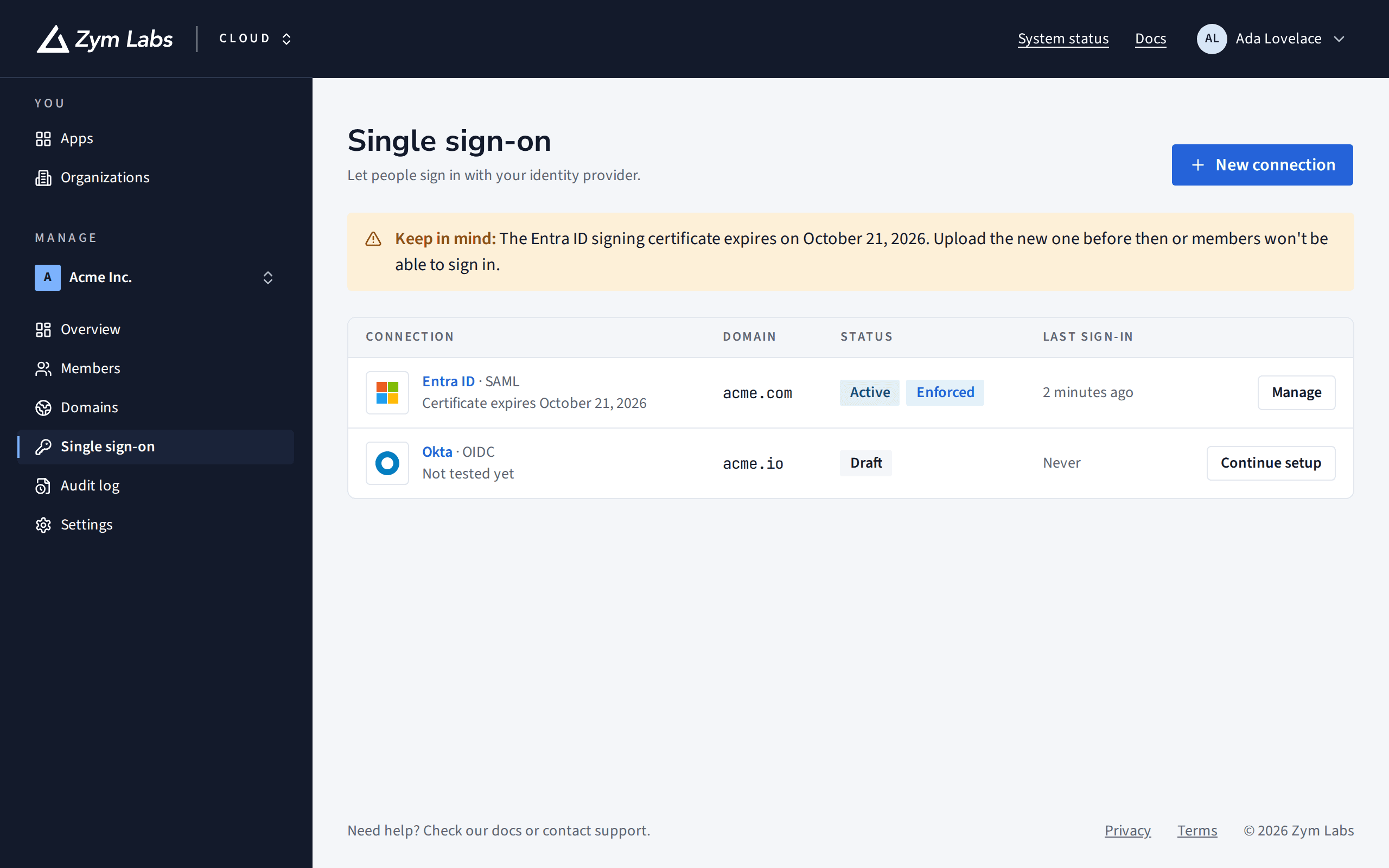
A connection links one identity provider to one verified domain. People with an email address on that domain are sent to your provider to sign in. The first time they do, Zym Labs creates a managed account for them in your organization.
A connection goes through 3 stages:
| Stage | Who it signs in | Passwords |
|---|---|---|
| Draft | Nobody yet. You're setting it up and testing it. | Unchanged |
| Active | New colleagues on the domain, and anyone who already signs in with your provider, go straight to it. | Still work |
| Required | Everyone on the domain, without a password option. Owners keep a password as a fallback. | Removed for members and admins |
Supported identity providers
Cloud's setup has presets, with step-by-step instructions and the right attribute names filled in, for:
- Microsoft Entra ID (formerly Azure AD), over SAML. See Set up single sign-on with Microsoft Entra ID.
- Okta and Google Workspace, over SAML.
- Other SAML providers, such as JumpCloud, OneLogin, PingFederate and ADFS.
- Other OpenID Connect providers, such as Auth0, Keycloak and Amazon Cognito.
Before you require it
Requiring SSO removes the passwords of members and admins on the domain and signs them out. Next time, each signs in with your provider and confirms once by email. Plan for 3 things:
- Test it first. Cloud only lets you require a connection after someone has signed in through it.
- Keep a way in. If your identity provider goes down, nobody could sign in through it. Cloud won't let you require SSO unless an owner can sign in without it, with a passkey, or a password and a second step.
- It doesn't undo itself. Stop requiring makes SSO optional again, but the passwords it removed stay removed; people set new ones.
Certificates
A SAML connection uses your provider's signing certificate. If you gave Cloud a metadata URL, it picks up a new certificate when your provider rotates it. If you uploaded a metadata file, upload a new one before the certificate expires: Cloud warns you 30 days ahead, and shows the days left on the connection's page.
What's next
- Set up single sign-on with Microsoft Entra ID: the steps for Entra ID.
- Verify a domain: every connection needs one.